
Holiday Settings – Truebooker
Truebooker > Setting > Holiday Setting
The Holiday Settings option allows you to define days when your business or staff members are not available for bookings. This ensures that no appointments will be scheduled on selected holidays.
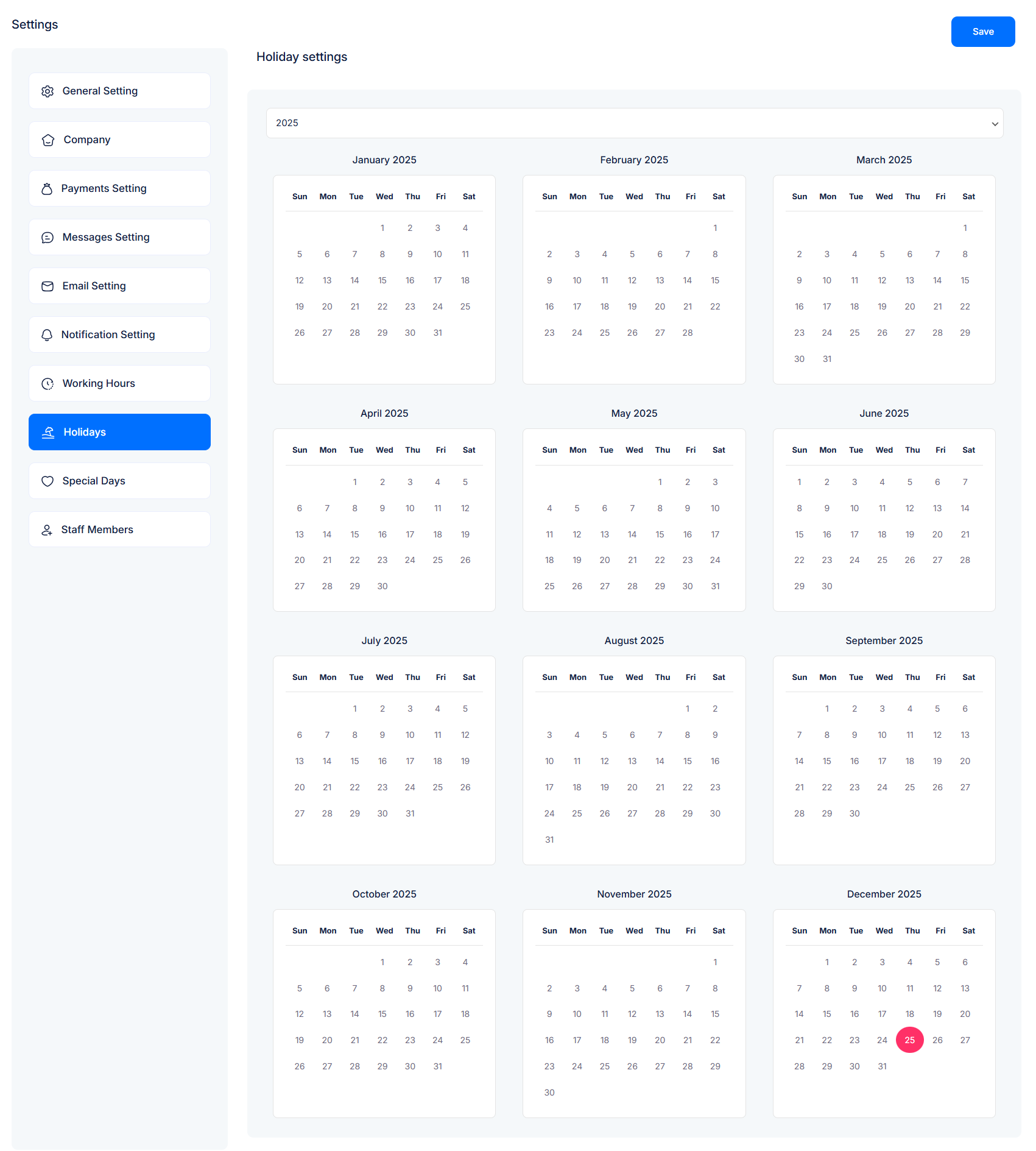
➤ How to Add a Holiday
Go to Settings → Holidays.
Click on any date in the calendar where you want to add a holiday.
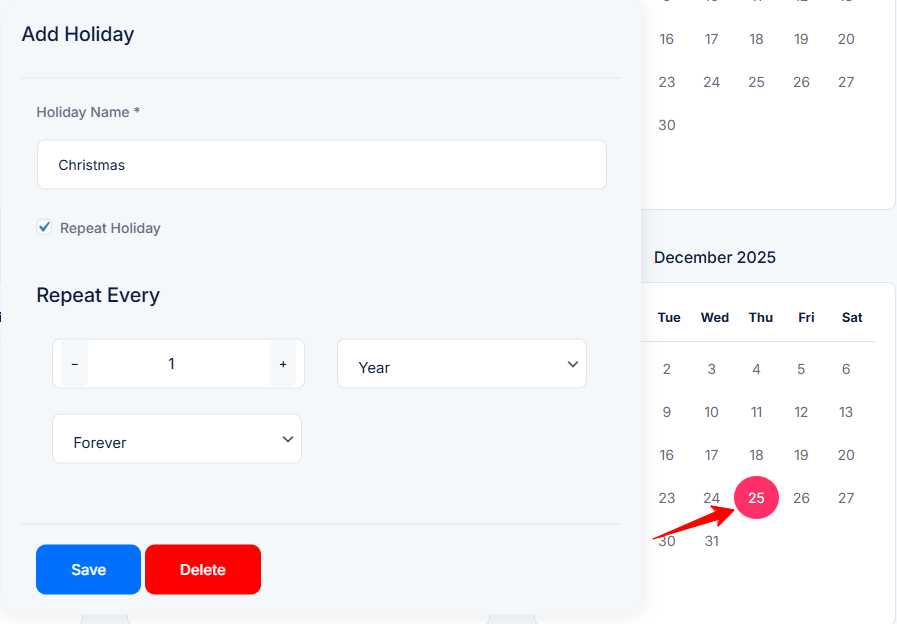
A popup will appear.
Enter the Holiday Name (e.g., Christmas).
Enable Repeat Holiday if you want this holiday to repeat.
Choose the repeat frequency (Day, Week, Month, or Year).
Select how long it should repeat:
Forever
Specific number of times
Until a selected date
Click Save to confirm.
➤ Example Use Cases
Add Christmas (25th December) and repeat it every Year → Forever.
Add Team Outing on a certain date without repeat.
Add Weekly Maintenance Break and repeat it every Week → Until specific date.
✨ Keep your schedule stress-free — set up your holidays today and let the system manage your availability automatically!


