
Email Settings – Truebooker
Admin > Truebooker > Setting > Email Setting
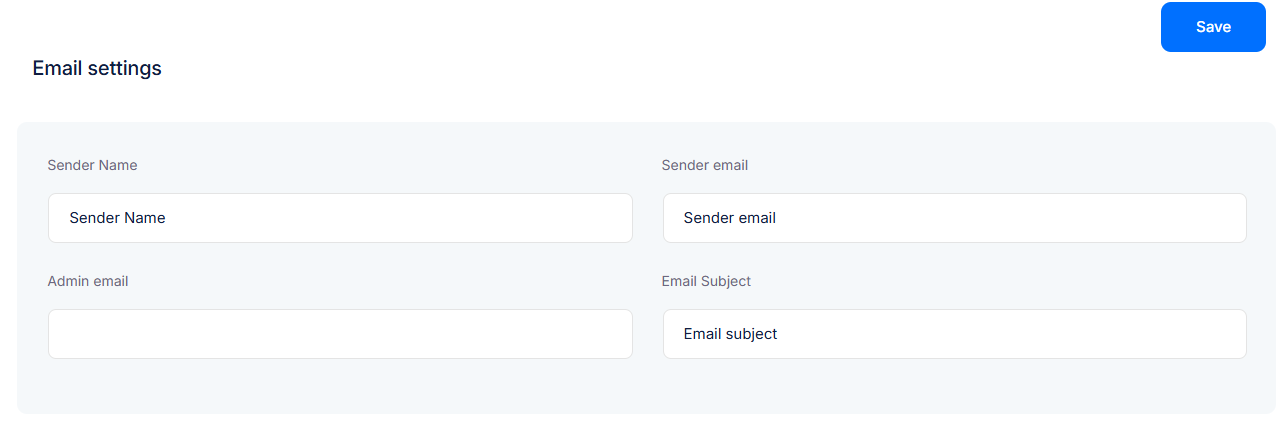
The Email Settings section allows you to configure the sender details and default email subject used for booking notifications. These settings ensure that both customers and admins receive proper booking confirmations and updates.
✉️ Sender Information
Sender Name
The name that will appear as the sender in outgoing booking emails.
(Example: “Truebooker” or your business name)Sender Email
The email address used to send booking notifications to customers.
(Make sure to use a valid business email to avoid emails landing in spam.)- Email Subject
Define the default subject line for outgoing booking confirmation emails.
(Example: “Your Appointment – [Business Name]”)
👩💻 Admin Notification
Admin Email
The email address where all admin-related notifications (new booking alerts, cancellations, etc.) will be sent.


