
General Settings – Truebooker
Admin > Truebooker > Setting > General Setting
The General Settings section allows you to configure core options that control how the Truebooker plugin works across your site. These settings include location, time, appointment defaults, and store options.
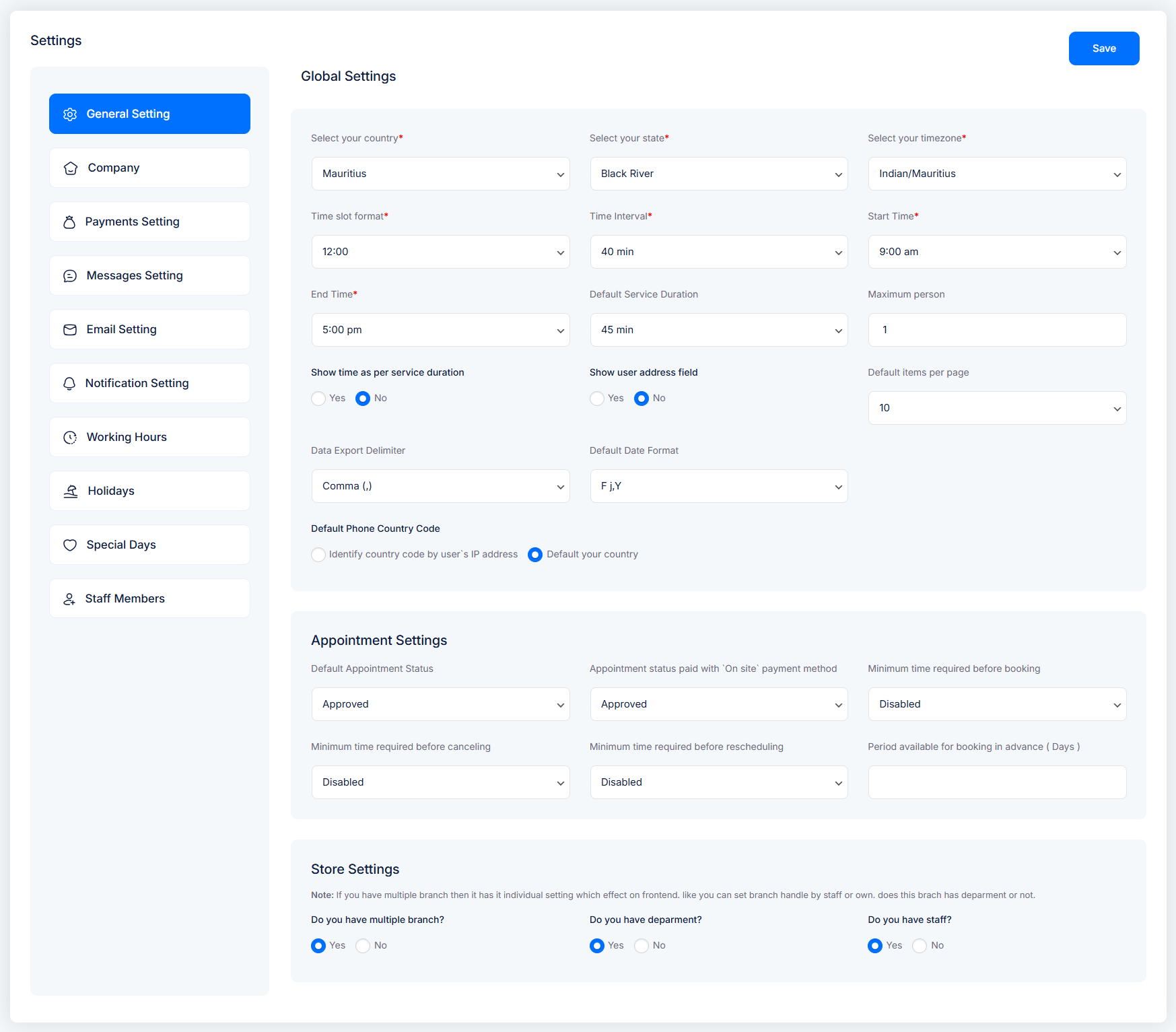
Select your country / state / timezone
Define your business location and timezone. This ensures that all bookings are handled in your local time zone.Time slot format
Choose how your available booking times should display (e.g., 12-hour or 24-hour format).Time interval
Set the interval between appointment slots (e.g., 15 min, 30 min, 40 min).Start time / End time
Define the default working day start and end times.Default Service Duration
Set the average duration of services (can be overridden in service-specific settings).Maximum person
Limit the maximum number of persons per booking.Show time as per service duration
Toggle to display slots according to each service’s duration instead of fixed intervals.Show user address field
Enable/disable the customer address field during booking.Default items per page
Control pagination in lists (e.g., 10, 20, 50 items).Data export delimiter
Choose how exported CSV data is separated (comma, semicolon, etc.).Default date format
Select how dates are displayed (e.g.,F j, Y= August 18, 2025).Default phone country code
Options:Detect automatically from user’s IP
Set manually to your country
📅 Appointment Settings
Default appointment status
Choose whether new appointments are automatically Approved or set to Pending.Appointment status (On-site payment method)
Define default status when customers book with an “on-site” payment.Minimum time required before booking
Prevent last-minute bookings by requiring a minimum notice period.Minimum time required before canceling
Set restrictions on how close to the appointment time a user can cancel.Minimum time required before rescheduling
Define the notice period required for rescheduling.Period available for booking in advance (days)
Limit how far in advance customers can book (e.g., 30, 90 days).
🏬 Store Settings
Use this section if you manage multiple branches, departments, or staff.
Do you have multiple branches? – Enable if your business has multiple locations.
Do you have departments? – Enable if services are grouped by departments (e.g., Hair, Spa, Therapy).
Do you have staff? – Enable if bookings are assigned to individual staff members.
🔎 Note: If multiple branches are enabled, each branch will have its own independent settings.


