✦
NEW
TrueBooker AI Booking Assistant
✦
Meet TrueBooker AI Booking Assistant - Let AI handle bookings
✦
Let your customers book appointments naturally with AI
✦
AI-powered appointment booking for TrueBooker
✦
Meet TrueBooker AI Booking Assistant - Let AI handle bookings
✦
AI-powered appointment booking for TrueBooker
✦
AI-powered appointment booking for TrueBooker
✦
Meet TrueBooker AI Booking Assistant - Let AI handle bookings
✦
Meet TrueBooker AI Booking Assistant - Let AI handle bookings
Appointment Booking & Scheduler Plugins
Buy lifetime $59
$99
Toggle menu
Features
Appointments
Service structure
Online payments
Branch dashboard
New
Customer portal
Department dashboard
New
Notification control
Staff dashboard
New
Settings & customization
All features
Truebooker vs Other plugins
Explore demos
Addons
AI Appointment Booking Assistant
Square Payment Addon
PayPal Pro Payment Addon
Klarna Payment Addon
Razorpay Payment Addon
Woocommerce Payment Gateway
Pricing
Resources
Documentation
Roadmap
Get help
Contact us
Blog
Video tutorials
Changelog
Documentation
View Categories
Truebooker Plugin Installation
📁 Step 1: Download the Plugin
First go to envato account and go to Downloads section from the top-right menu.
Now click on Download button next to plugin.
Click
Download > Installable WordPress file only
to get the
.zip
package
⬇️ Step 2: Install via WordPress Dashboard
Login to your WordPress Admin Panel (
yourdomain.com/wp-admin
)
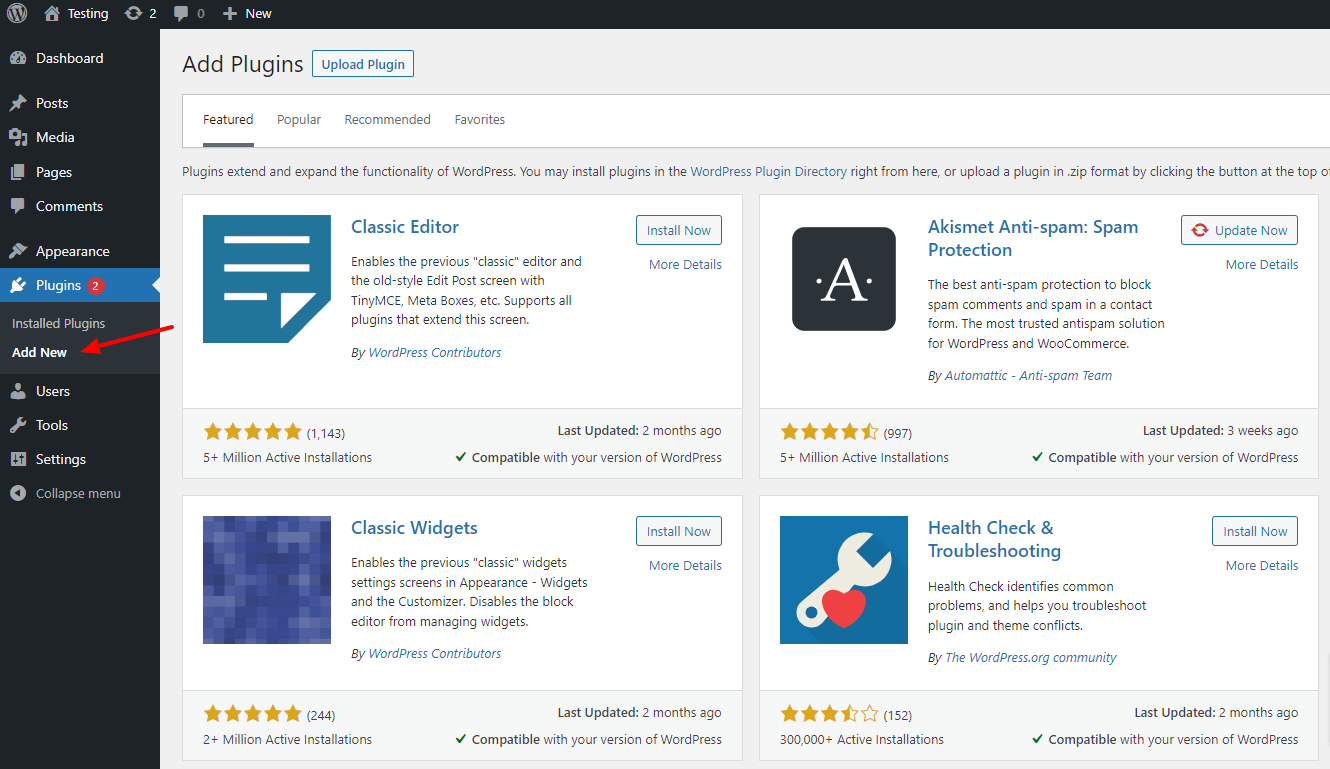
Navigate to
Plugins > Add New
Click on the
Upload Plugin
button at the top
Choose the
truebooker.zip
file you downloaded
Click
Install Now
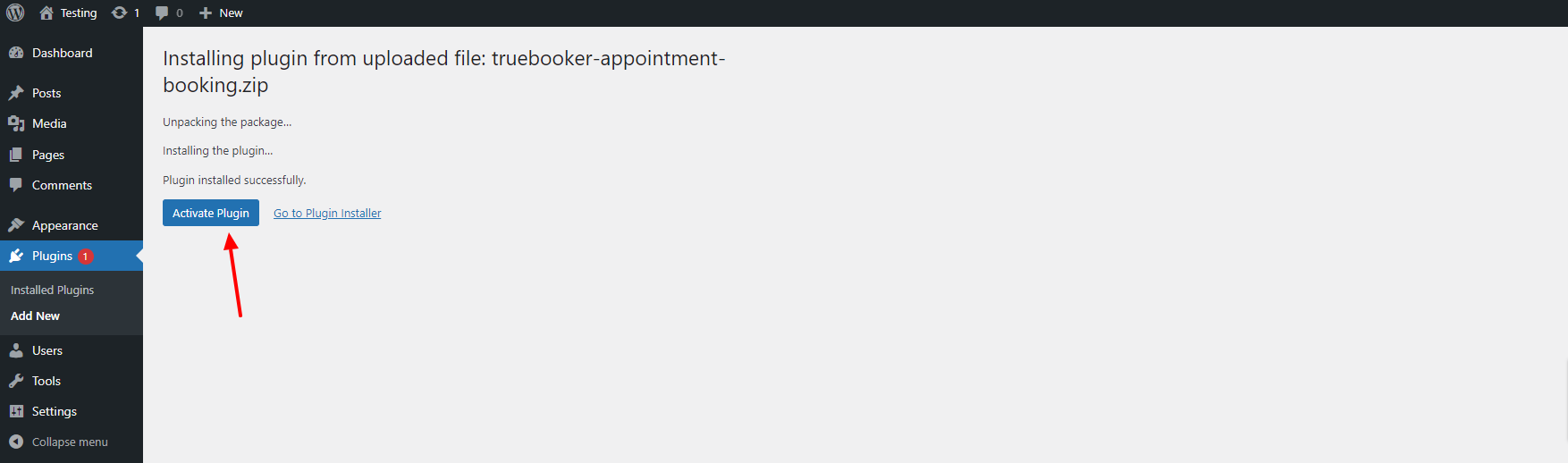
After installation is complete, click
Activate Plugin
Support
Documentation
Buy Now